Sell your yoga classes online, from your own website
Recorded classes and programs on your WordPress site, sold through WooCommerce, with student accounts and progress. Keep every student and every dollar, then launch an app in your name.
Free plan: the plugin and up to 5 lessons, no card. Your account opens when you confirm your email.

What a yoga teacher gets
Your own site is the shop
Classes and programs live on the WordPress site you already have, in your theme, under your domain. A student who buys is in your users list with their email: no marketplace between you and them.
Students buy through WooCommerce
One program is one WooCommerce product with a cover, a free preview, a lesson list and your price. Checkout is yours, and a paid order opens the program. A refund closes it.
Lessons play on the site and in the app
The same student account works on your website and, on the App plan, in an iOS and Android app in your name, with audio that keeps playing when the screen locks.
0% platform fees
BOS never takes a cut of a sale or a fee per student. You pay a flat monthly plan, plus the card fee Stripe or PayPal charge on any platform, typically 2.9% + 30¢.
How it works
1
Create your account
Sign up, confirm your email and install the free plugin on your WordPress site. We review every new account afterwards.
2
Add your classes
Audio classes for savasana, yoga nidra and pranayama upload directly. For video, paste an unlisted Vimeo or YouTube link into the lesson. Twenty to forty minutes sells and gets finished.
3
Group them into programs
A four-week back series, a 20-minute morning practice. Set a price and link the program to a WooCommerce product.
4
Sell
A student checks out on your site, the program opens, and they land in the player signed in.
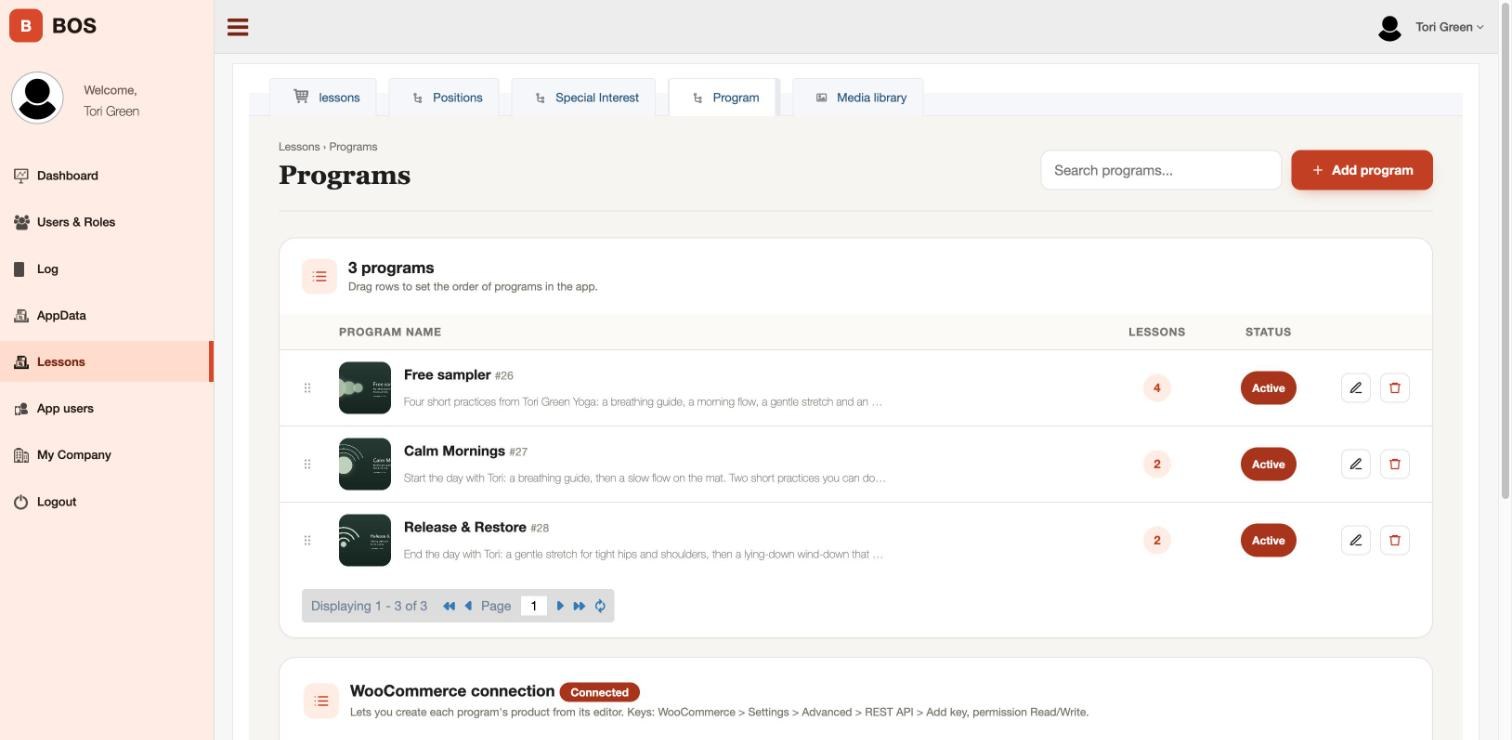
The BOS dashboard, on the example account: programs with covers, lesson counts and status
An example, not a customer
See it with a yoga teacher’s programs: Tori Green
Tori Green is a fictional teacher we made up to show BOS end to end. Her programs, prices and pages are the real product running on a demo account; she has no students and this is not a testimonial. Open the pages and click around as a student would.
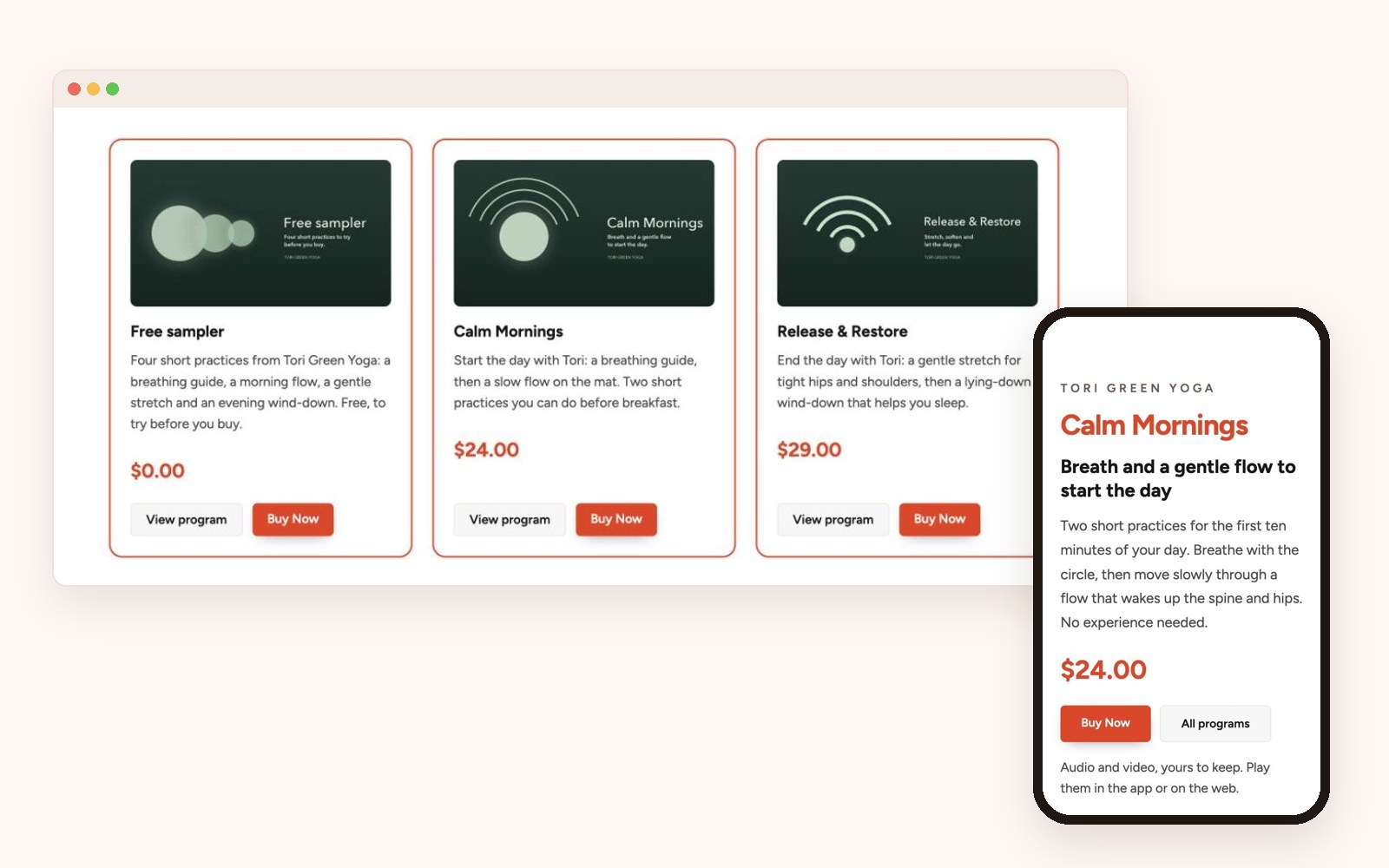
Free sampler, $0
Four short practices to try before buying. Open the program
Calm Mornings, $24
A breathing guide, then a slow flow. Open the program
Release & Restore, $29
A gentle stretch and a lying-down wind-down. Open the program
All three on one page · Tori’s example in full, with a worked-example year

When students ask for the app
Your own yoga app, published in your name
Lessons keep playing with the screen off, download for a flight, and a push reminder goes out when someone has not practised for a week. The app is built from the programs you already sell, and purchases still go through your website, so the app stores take nothing.
What it costs
Free, $0
The plugin, your dashboard and up to 5 lessons. Enough to put one short program on your site and see who buys. No card.
Pro, $29 a month
Unlimited lessons and programs on your site, WooCommerce checkout, student progress, email support. $290 if you pay yearly.
App, $149 a month
Everything in Pro plus your own iOS and Android app in your name. $1,490 a year, plus a one-time $999 setup. Apple ($99 a year) and Google ($25 once) charge you directly for their developer accounts.
All plans: 0% platform fees. Stripe or PayPal charge their usual card fee. Full pricing and questions
Best platform for teaching yoga online? It depends on how you teach
If your business is a big catalogue watched on the sofa, with live streaming and TV apps, a hosted video platform earns its price. BOS is for the teacher who wants to sell recorded classes and programs from a site she owns, with a flat price and her students’ emails in her own database. BOS does not do live streaming: teach live on Zoom if you like, then sell the recordings.
Selling yoga videos for the first time? Read the step-by-step guide. Weighing platforms? See the numbers side by side.
Questions yoga teachers ask
Do I need a WordPress site to sell yoga classes with BOS? +
Yes. BOS Lessons is a plugin for a WordPress site, and WooCommerce does the selling. The lesson library works without WooCommerce, but you need it to take payments. If you do not have a site yet, set one up first; BOS does not host a storefront for you.
Can I sell video and audio? +
Yes. Audio classes upload directly. For video, you paste a Vimeo or YouTube link into the lesson, so the file is hosted where it is built to be streamed and the player shows only to students who own the program.
Can I sell a single class, or only programs? +
A program is the unit you sell, and it can hold one class or twenty. A free sampler and a short paid series are a common start. Each program is priced as a WooCommerce product.
Do I keep my students and their emails? +
Yes. Students buy on your site, so they are customers in your own WooCommerce and WordPress users list. The same email signs them in to the app.
What does BOS take from each sale? +
Nothing. There is no percentage and no fee per student on any plan. You pay your plan, and the payment processor (Stripe or PayPal, typically 2.9% + 30¢) charges its usual fee.
Can I stream live classes? +
No. BOS is for recorded classes and programs. Teach live however you like, then record it and sell the replay as a lesson.
Do I need an app? +
No. The player works in a phone browser on every plan. The app is an add-on for when students ask for one, with offline downloads and push notifications, and it costs $149 a month plus a $999 setup.
Is there a free way to try it? +
Yes. The Free plan is the plugin and up to 5 lessons, with no card. Your account opens when you confirm your email, and we review every new account afterwards.
Can I cancel? +
Monthly plans cancel any time. Your lessons stay on your WordPress site; the player and the app stop working at the end of the billing period.